Savaspin app: why the verified mobile product is a PWA, not a native store app
 Available in GB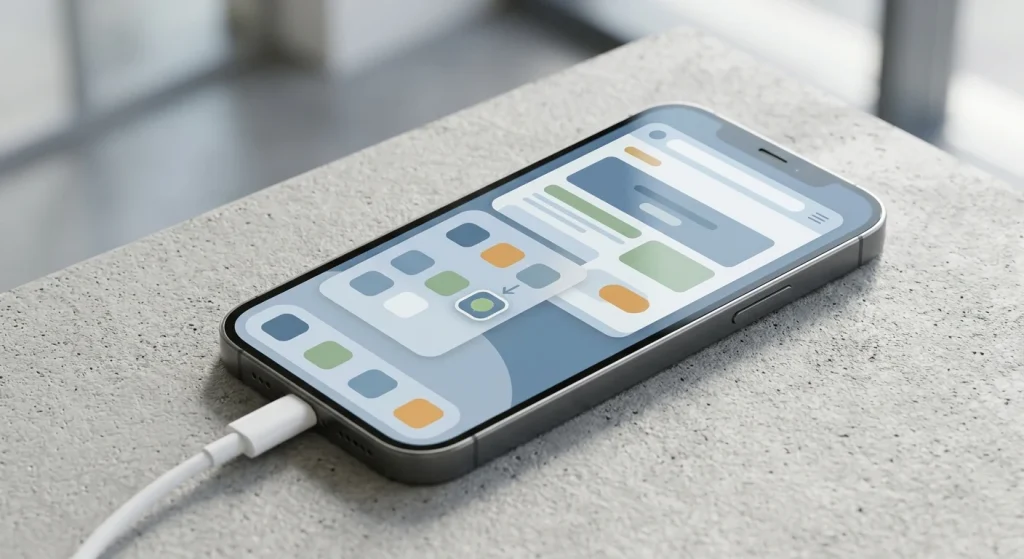
Mobile format explained
Savaspin’s verified mobile product is a progressive web app, or PWA. The operator says it can be installed on iOS and Android from its website, creates a shortcut on the device and uses the same Savaspin account. That is different from confirming a native App Store or Google Play app, so this guide does not describe one. UK readers should also keep the format question separate from eligibility: Savaspin’s current Terms list the United Kingdom as restricted for deposits and real-money games.
Table of Contents
- The Savaspin app is installed from the website, not verified through an app store
- How Savaspin currently describes PWA installation
- On iPhone, the important point is the web-app format rather than an App Store badge
- Android follows the same browser-led PWA model
- The PWA carries the same core use cases as the website
- Mobile compatibility does not establish UK real-money eligibility
- A practical checklist before adding the Savaspin shortcut
- Questions about the Savaspin app
- What Savaspin’s PWA changes on iPhone and Android
- Savaspin login and account access: what UK readers should verify first
The Savaspin app is installed from the website, not verified through an app store
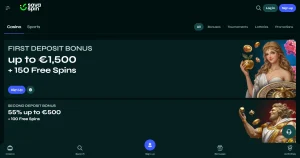
Savaspin’s current official mobile instructions are unusually clear about the product type. The site calls the Savaspin App a progressive web application and says it is suitable for iOS and Android as well as desktop operating systems. The installation flow starts in a browser on the official website, uses a Casino App button and ends with a shortcut appearing on the device.
The operator also says there is no need to create a new account after installation. The shortcut returns the user to the same Savaspin service and the normal login credentials continue to apply. In practical terms, the PWA is an access layer for the website rather than a second casino platform with a separate wallet or profile.
| Feature | Savaspin PWA | Native store app |
|---|---|---|
| Installation source | Savaspin website in a browser | Usually Apple App Store or Google Play |
| Home-screen launch | Yes, via installed shortcut | Yes |
| Account | Same Savaspin account | Would depend on the native product |
| Updates | Savaspin says updates are automatic | Typically managed through the store or OS |
| Verified Savaspin status | Confirmed | Not confirmed by the sources used here |
The installation format and steps come from the current Savaspin website. UK access restrictions are stated separately in the current Terms.
Installation flow
How Savaspin currently describes PWA installation
The operator’s published process is short. First, open the official Savaspin website in a browser. Second, tap the Casino App control on the homepage. Third, choose the installation option and confirm it. The operator then says a casino shortcut will appear on the screen, after which the user can sign in with the existing account.
If the installation control is not visible, the sensible first checks are whether the official site is open in a supported browser and whether the browser is allowing installable web-app prompts. The operator provides live-chat support, so a missing or changed installation flow can also be checked through the current support channel instead of relying on outdated instructions.
On iPhone, the important point is the web-app format rather than an App Store badge
For iPhone users, the biggest source of confusion is terminology. Savaspin itself uses the word “app”, but then defines that app as a PWA. That means a reader should expect a browser-led installation that creates a launchable shortcut, not assume that searching the Apple App Store will reveal an official native Savaspin package.
The account model stays consistent as well. There is no separate mobile registration in the operator’s current instructions. That is useful for users who move between desktop and phone because account identity, wallet information and history remain attached to the same profile rather than being split across products.
What not to infer
A home-screen icon does not prove that an app is native. The strongest evidence here points to a PWA installed from the Savaspin website, so this guide does not use App Store language or imply Apple has distributed or reviewed a separate Savaspin binary.
Android use
Android follows the same browser-led PWA model
Savaspin groups Android and iOS together in its current mobile instructions. It does not require a separate Android account and does not use the current source to establish a Google Play distribution channel. The verified process is to visit the official website, use the Casino App installation control and launch the resulting shortcut.
That makes source hygiene especially important. Searching the open web for an Android casino app can surface third-party APK files whose origin, version and integrity are harder to verify. Nothing in the current Savaspin instructions requires that route, so there is no editorial reason to recommend it.
The PWA carries the same core use cases as the website
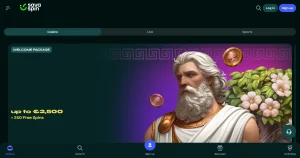
A mobile format is only useful if it preserves the parts of the service readers actually need. Savaspin’s broader site includes thousands of slots, live and table games, account management and support. The PWA is presented as a faster route back to that same lobby, not as a reduced demo product.
For game discovery, the main benefit is quicker re-entry and a cleaner screen without the normal browser address bar. That matters more in live casino, where video, betting controls and navigation compete for limited screen space. The Savaspin games page covers the wider catalogue, while this mobile page focuses on how that catalogue is reached on a phone.
Account continuity is equally important. Savaspin says the same login is used after installation, which means the PWA should be understood as another route into the same service. The separate Savaspin account and login guide covers profile access and login behaviour without duplicating it here.
UK context
Mobile compatibility does not establish UK real-money eligibility
It would be easy to read “works on iOS and Android” as a statement that Savaspin is locally available wherever those devices are sold. That is not what the evidence supports. Device compatibility describes the technical format, while country eligibility is controlled separately by the operator’s Terms and applicable law.
Savaspin’s current Terms explicitly include the United Kingdom in the list of restricted countries whose players are not allowed to deposit and play real-money games. The PWA does not change that restriction, and a successful website load or shortcut installation should not be treated as proof of permitted UK real-money use.
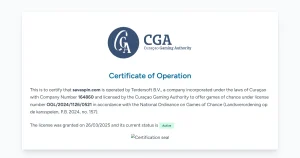
This is also why the mobile page links to the Savaspin licence and trust check. A technically functional PWA can be reviewed as a product feature while the regulatory and local-access position is assessed independently. Keeping those questions separate gives readers a more accurate picture than collapsing everything into a simple “app available” label.
A practical checklist before adding the Savaspin shortcut
Use the official site
Start installation from Savaspin’s current website rather than a third-party download page.
Confirm PWA wording
The verified product is a progressive web app, so do not expect a native store package by default.
Keep one account
The operator says the installed shortcut uses the existing Savaspin login rather than a second mobile account.
Separate access from format
Technical installation does not override the current UK restriction in the Terms.
Questions about the Savaspin app
Does Savaspin have an app?
Yes, but the verified product is a progressive web app installed from the Savaspin website.
Can the Savaspin PWA be installed on iPhone?
Savaspin says its PWA can be installed on iOS devices through its website-led installation flow.
Can it be installed on Android?
Yes. Android is also listed by Savaspin as a supported installation platform for the PWA.
Is there a verified native App Store or Google Play app?
Not from the sources used for this guide. The official wording verifies a PWA, so this page does not claim a native store app.
Does installing the PWA make Savaspin available for UK real-money play?
No. The current Terms list the United Kingdom as restricted for deposits and real-money games.
Mobile decision
What Savaspin’s PWA changes on iPhone and Android
Savaspin’s PWA gives iPhone and Android users a faster, home-screen route into the same web-based service without requiring a separately verified native store app. The installation is source-led and simple: open the official site, use its Casino App control, confirm installation and return through the new shortcut. Automatic web-app updates and the removal of normal browser chrome are the main format advantages described by Savaspin. For UK readers, those technical benefits remain separate from eligibility because the operator’s current Terms restrict UK deposits and real-money play.